Current product model
Web is a World-scoped workspace, not a new browser
Everett keeps Web links and preferences with the World while staying explicit about which browser target shares or partitions state.
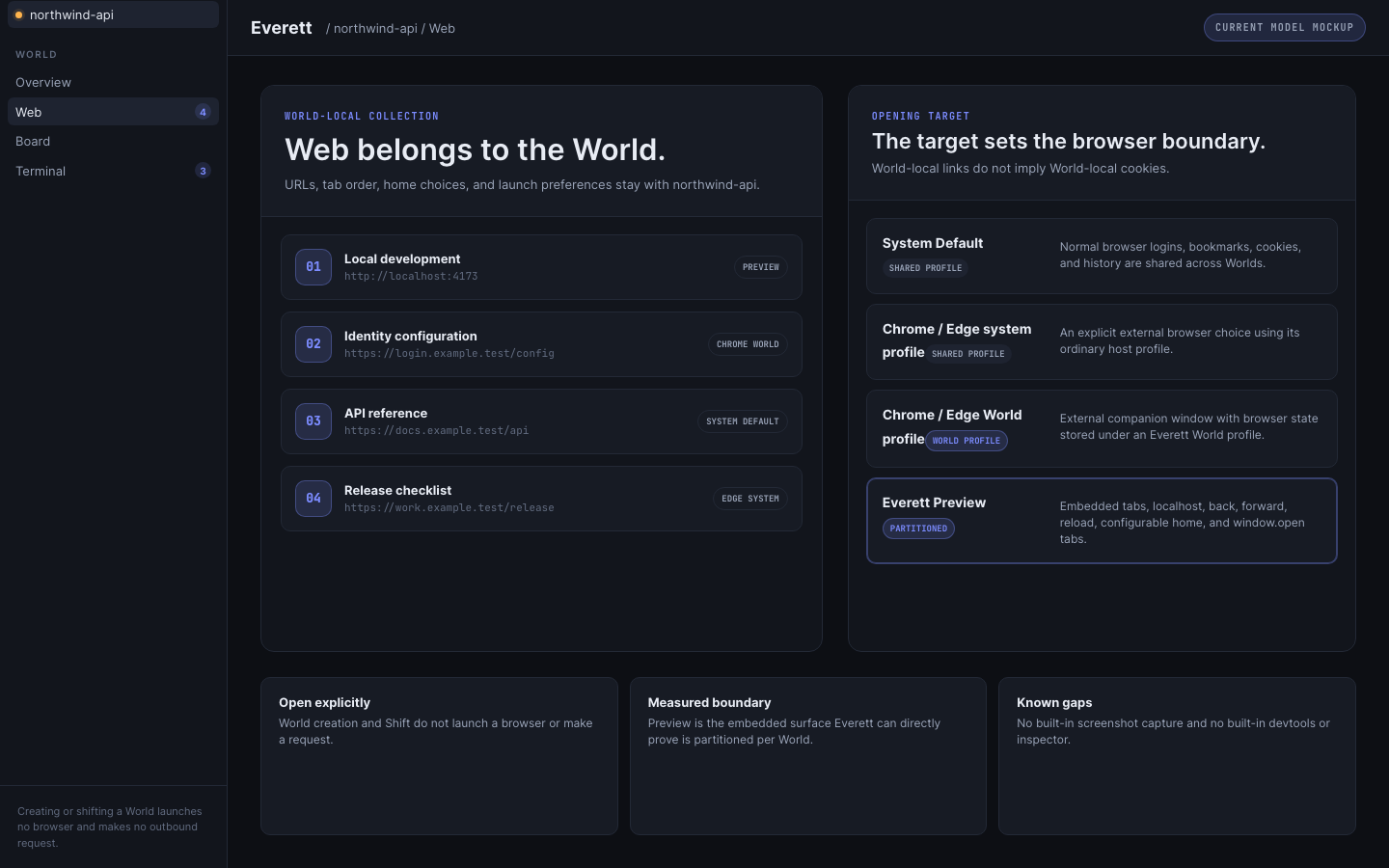
Everett’s Web surface is easiest to understand when two questions are kept separate.
First: what belongs to the World? The saved URLs, tab order, chosen home, and launch preferences.
Second: where should one of those URLs open? The system default browser, Chrome or Edge with a system profile, Chrome or Edge with an Everett-managed World profile, or the optional embedded Everett Preview.
The first part is the product model. The second part is a target choice with different privacy and isolation consequences.
Everett is not introducing a new general-purpose browser brand. It is giving browser context a project owner.
The collection belongs to the World
A software project accumulates Web context just as surely as it accumulates files. There is a local development server, an identity-provider configuration page, an API reference, a design document, an issue, and perhaps a deployment dashboard.
In a normal browser, those tabs join every other tab from every other project. Their history and recents become one global stream.
Everett stores the collection with the World. A Shift can restore the World-local URLs, tab choices, home selection, and launch preferences without claiming that every target has its own cookie jar.
This is relevance. The collection is scoped even when the browser profile is shared.
Four targets, four different boundaries
| Target | Where it opens | Browser state |
|---|---|---|
| System Default | The normal browser selected by macOS | Uses the normal system profile. Cookies, logins, bookmarks, and history are shared across Worlds and with the host. |
| Chrome or Edge, system profile | An installed external browser using its ordinary profile | Shared across Worlds and with normal browser use. |
| Chrome or Edge, Everett World profile | An installed external browser launched with a World-specific profile stored under Everett app state | Browser profile state is separated per World, while the browser window remains an external companion. |
| Everett Preview | An embedded Chromium surface inside Everett | Storage is partitioned per World, and Everett can directly prove that partition. |
The important sentence is the narrow one: Everett Preview is the only embedded surface Everett can directly prove as partitioned.
That does not make System Default a bad choice. It makes it a convenient shared choice. The interface should label it accordingly.
Opening is explicit
Creating a World launches no browser. Shifting into a World launches no browser. Those actions also make no outbound Web request.
That rule matters for trust and for basic product calm. A World can contain a Web collection without causing pages to load merely because the user viewed the project.
The user opens Web explicitly. Only then does Everett load the configured home or open selected links in the chosen target.
The home can be a blank page, a custom HTTP or HTTPS URL, or the configured default. The saved setting belongs to the World, but the resulting browser state follows the selected target’s boundary.
This also means an external browser window remains a companion window. Everett does not reparent Chrome, Edge, or the system browser into its own window. It launches or focuses them through normal operating-system behavior.
What Everett Preview does now
The current Everett Preview supports multiple tabs. It can open localhost pages, navigate back and forward, reload, return to a configurable home, and handle window.open by creating another Preview tab rather than an unmanaged popup.
Those are useful browser-workspace behaviors. They do not make Preview a replacement for a full development browser.
Two gaps are explicit today:
- There is no built-in screenshot capture.
- There is no built-in developer tools or inspector surface.
For those jobs, an external browser remains the appropriate target.
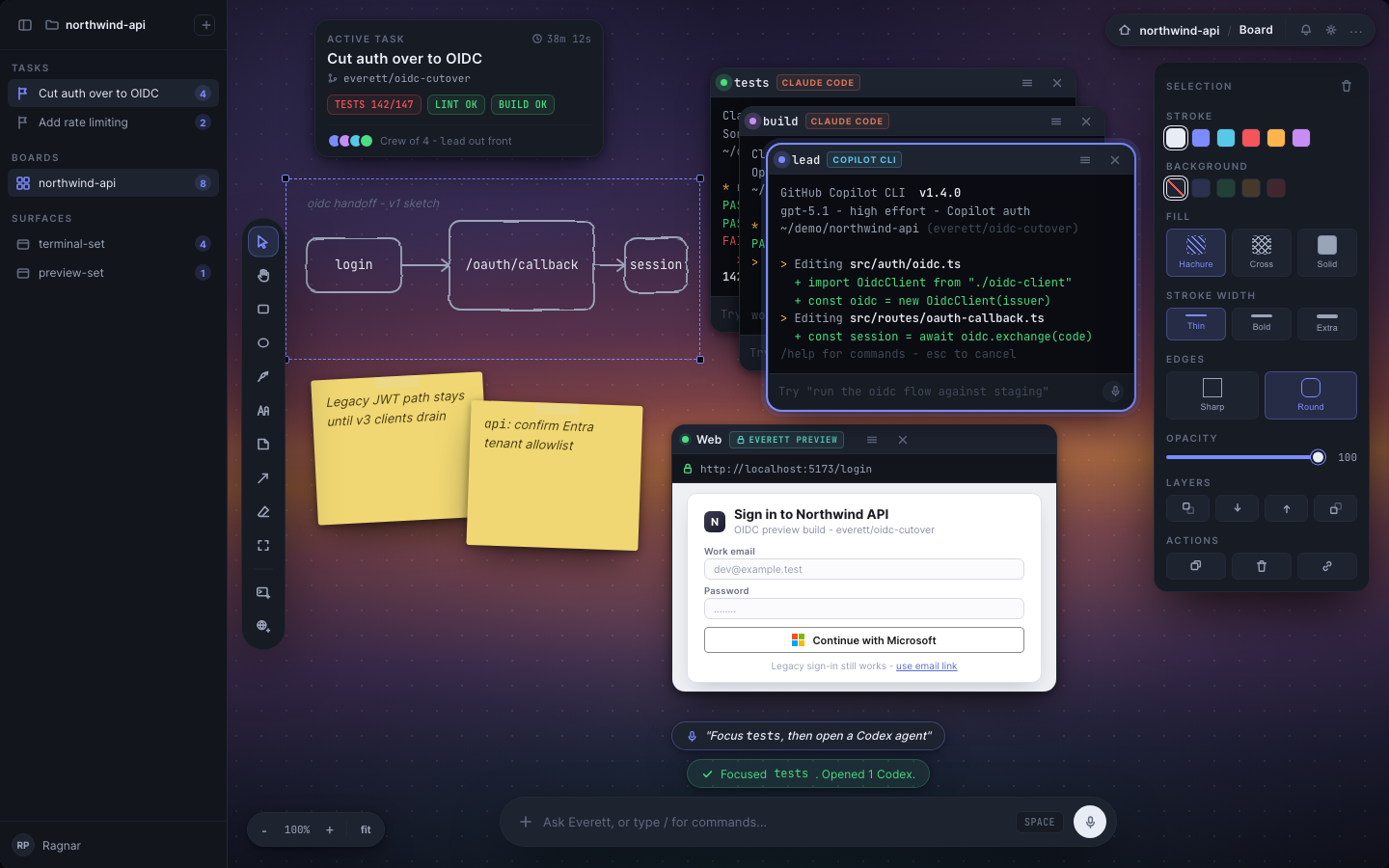
This is also why older mockups must be read carefully. A design can show evidence capture, developer tooling, or an agent driving a browser, but that does not turn those ideas into current Preview behavior. Public visuals and copy need to follow the implemented feature truth, not the most ambitious screen.
Why the old isolation sentence had to change
It is tempting to say, “Every World has its own browser session.” That sentence is clean and wrong.
The World has its own Web collection. Some targets can also have World-specific browser state. System Default cannot be partitioned by Everett. Chrome or Edge only separate state when launched with an explicit Everett World profile. A normal system profile is shared.
This difference becomes especially important around authentication. If a user signs into a service in System Default from one World, that login is available when another World opens the same system profile. The target is doing exactly what the user asked; Everett must not describe the result as isolated.
Everett Preview is different because its Chromium partition is keyed to the World. A login written into one Preview partition is absent from another. That is a measured boundary, and the product can name it precisely.
A Web workspace, not a browser claim
The Web model succeeds when project URLs stop becoming loose browser clutter and start becoming durable World context.
The model does not require Everett to own every pixel of the browser experience. In fact, separating the collection from the target gives the user more honest control. They can choose convenience through a shared profile, stronger browser-state separation through a World profile, or an embedded partition through Preview.
The interface has to preserve that distinction every time. It should say what belongs to the World, what remains shared, what Everett can prove, and what capabilities are still absent.
That calibrated model is more useful than a sweeping browser-isolation claim. It keeps the project context together without pretending the operating system and external profiles disappeared.
Source basis
- Grounded in Everett's current Web decision, current product requirements amendment, implemented feature truth, and isolation audit.
- The comparison distinguishes stored World context from the browser profile or embedded partition that opens it.