A pre-release macOS World workspace

Every project gets its own World workspace.

Everett keeps a project's folders, terminals, agents, Web context, notes, drawings, and local state together in one persistent place, so multiple projects can stay active without mixing their context.

The World workspace

Everything for one project, together.

A World is Everett's top-level workspace. It gathers the workspace folders, terminals, coding agents, Web collection, Board arrangement, and local working state that belong to one software project.

You can keep several Worlds active and move between them without collapsing every project into one terminal or browser pile. Each World stays persistent, legible, and ready to resume.

Product model

World, Web, and Board.

01

World

The top-level project workspace: folders, terminals, agents, local state, Web links, and visual context that belong together.

02

Web

A World-local collection of URLs, tabs, home choices, and launch preferences, separate from the browser target that opens them.

03

Board

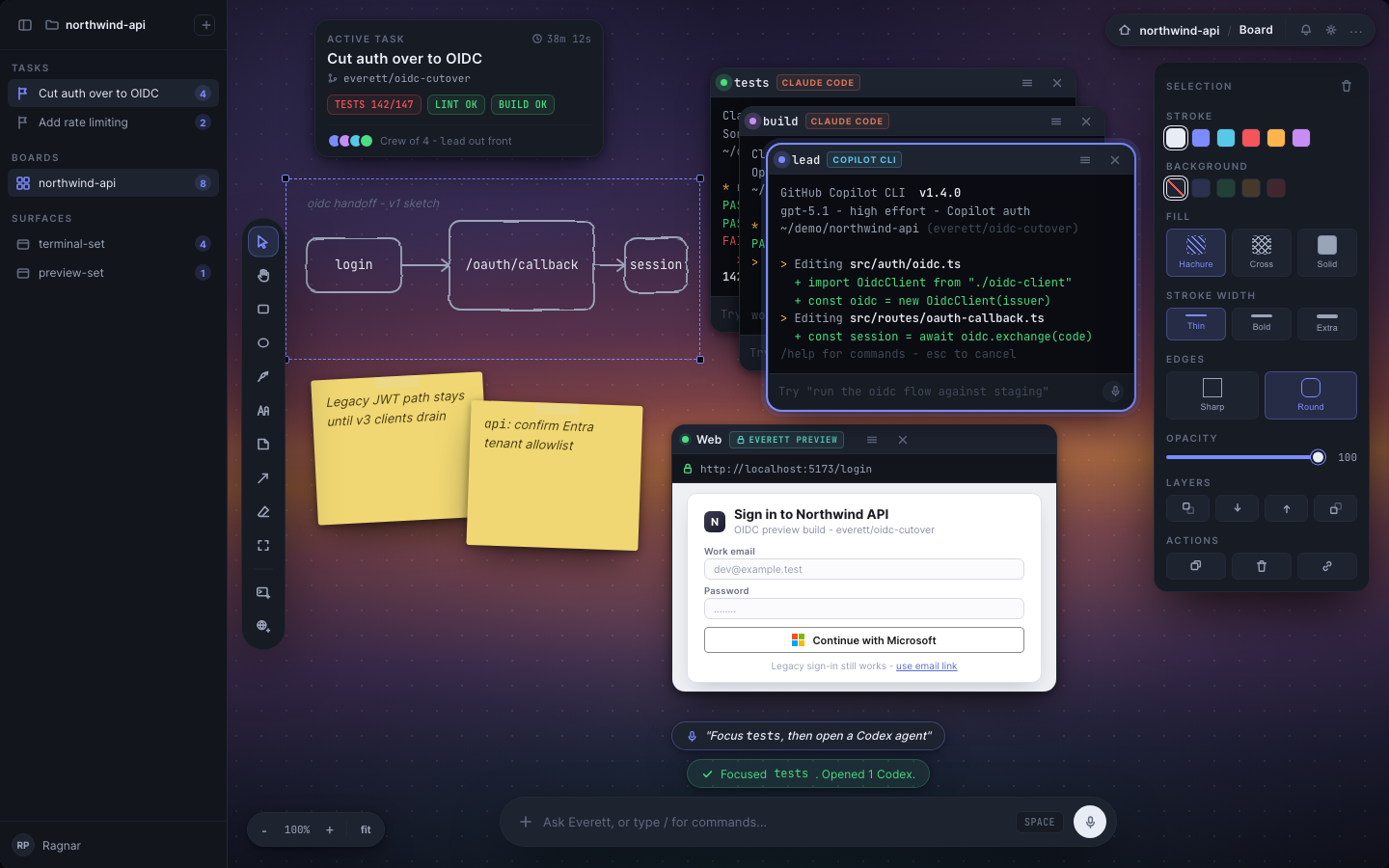
A persistent canvas where terminals, notes, drawings, and Web tabs remain arranged as working context across restarts.

Current product truth

What is true today

Truth as of .

Shipping

  • macOS installed application
  • Worlds with their own workspace folders
  • Real PTYs for existing coding agents
  • Persistent Board with terminals, notes, drawings, and Web tabs
  • Per-World shell history, caches, temporary directory, git configuration, and port range
  • System Default, Chrome, Edge, and optional Everett Preview Web targets
  • Everett Preview browser storage partitioned per World
  • Continuous local persistence and crash recovery

Partial or shared

  • The host filesystem remains shared
  • Host dotfiles, keychain access, and some coding-agent CLI state remain reachable or shared
  • External browsers using system profiles share login state across Worlds
  • Process cleanup is strong but cannot find a fully detached, socketless process

Design direction

  • Herdr-backed terminal runtime
  • Enforced Mount boundaries
  • Gates, Review, and Ledger depth
  • World Apps
  • Windows support

Visual working context

The model, shown honestly.

Everett is a pre-release product. Screens may be historical design mockups or design directions.
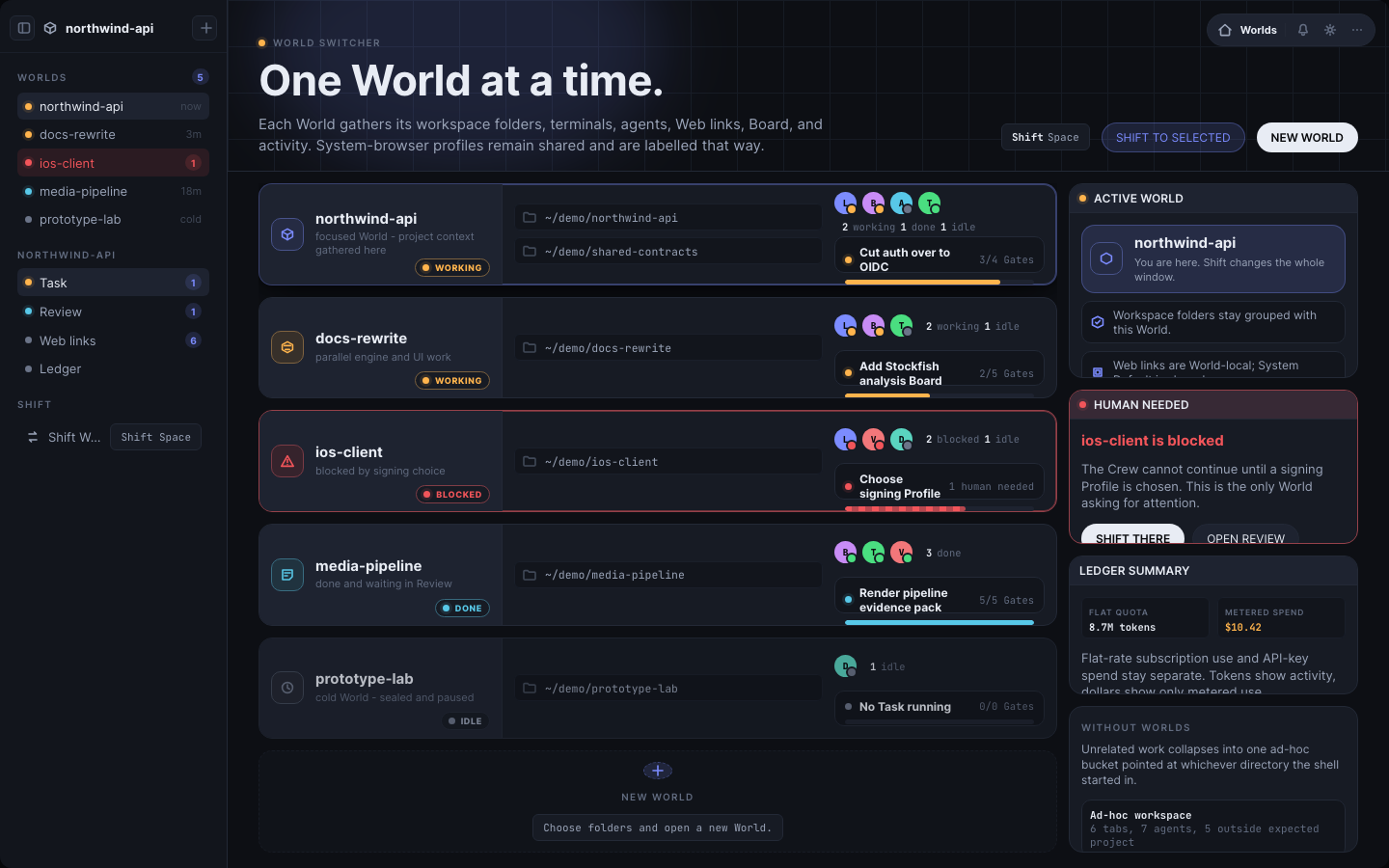
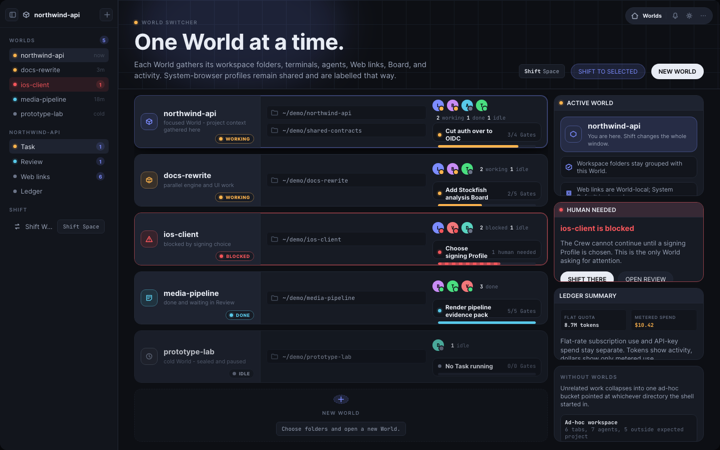
Everett Worlds overview showing separate project Worlds and their activity.
Historical design mockup: Separate Worlds keep unrelated project realities legible while they continue running.
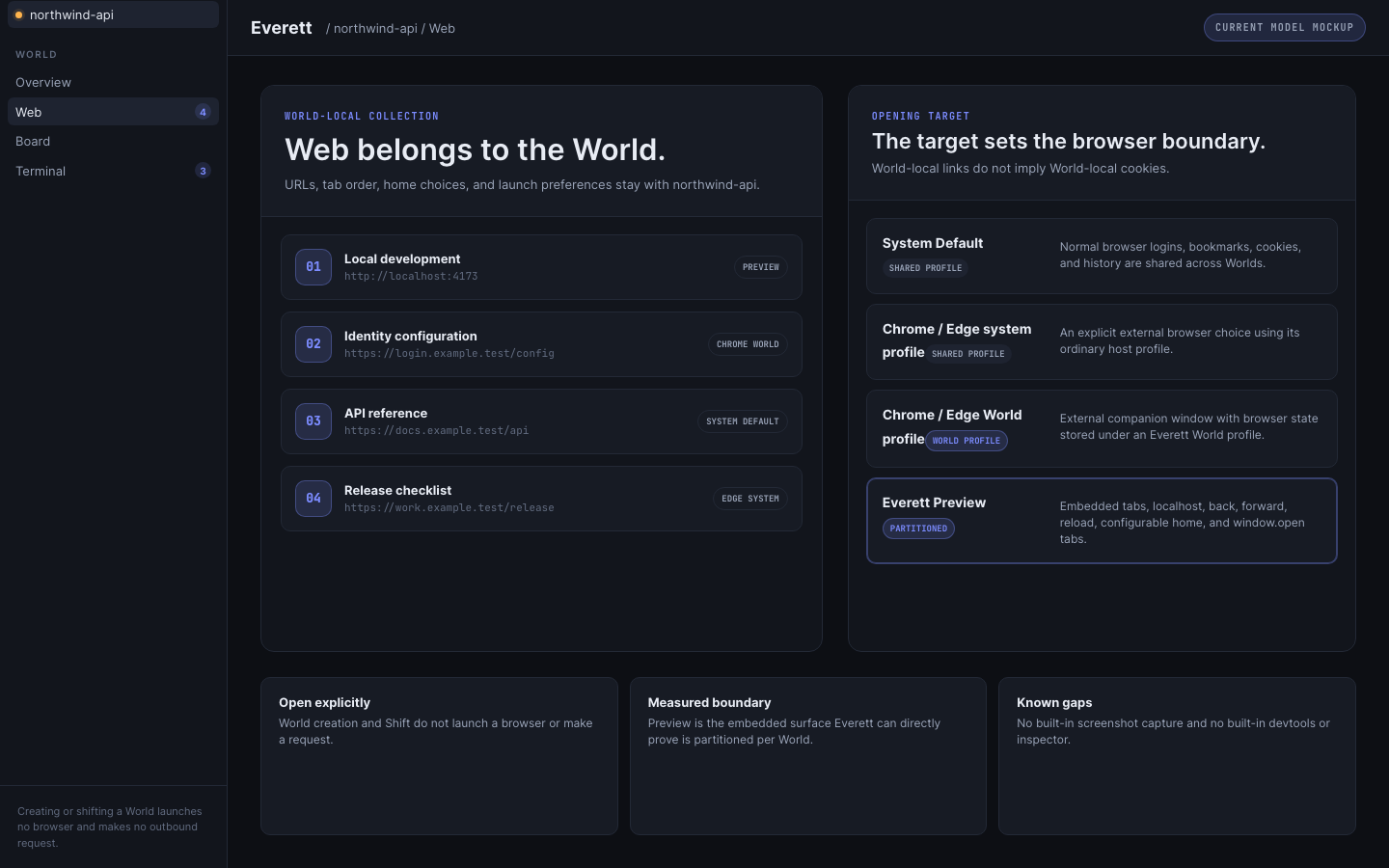
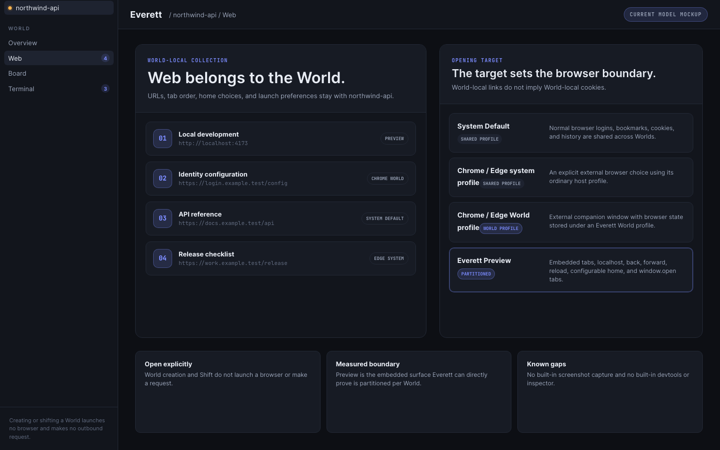
Everett Web model comparing World-local links with four browser targets.
Historical design mockup: The World owns the Web collection; the selected target determines whether browser state is shared or partitioned.
Everett Board mockup with terminals, notes, drawings, and a Web card.
Historical design mockup: The Board keeps heterogeneous working context spatially arranged inside a World.
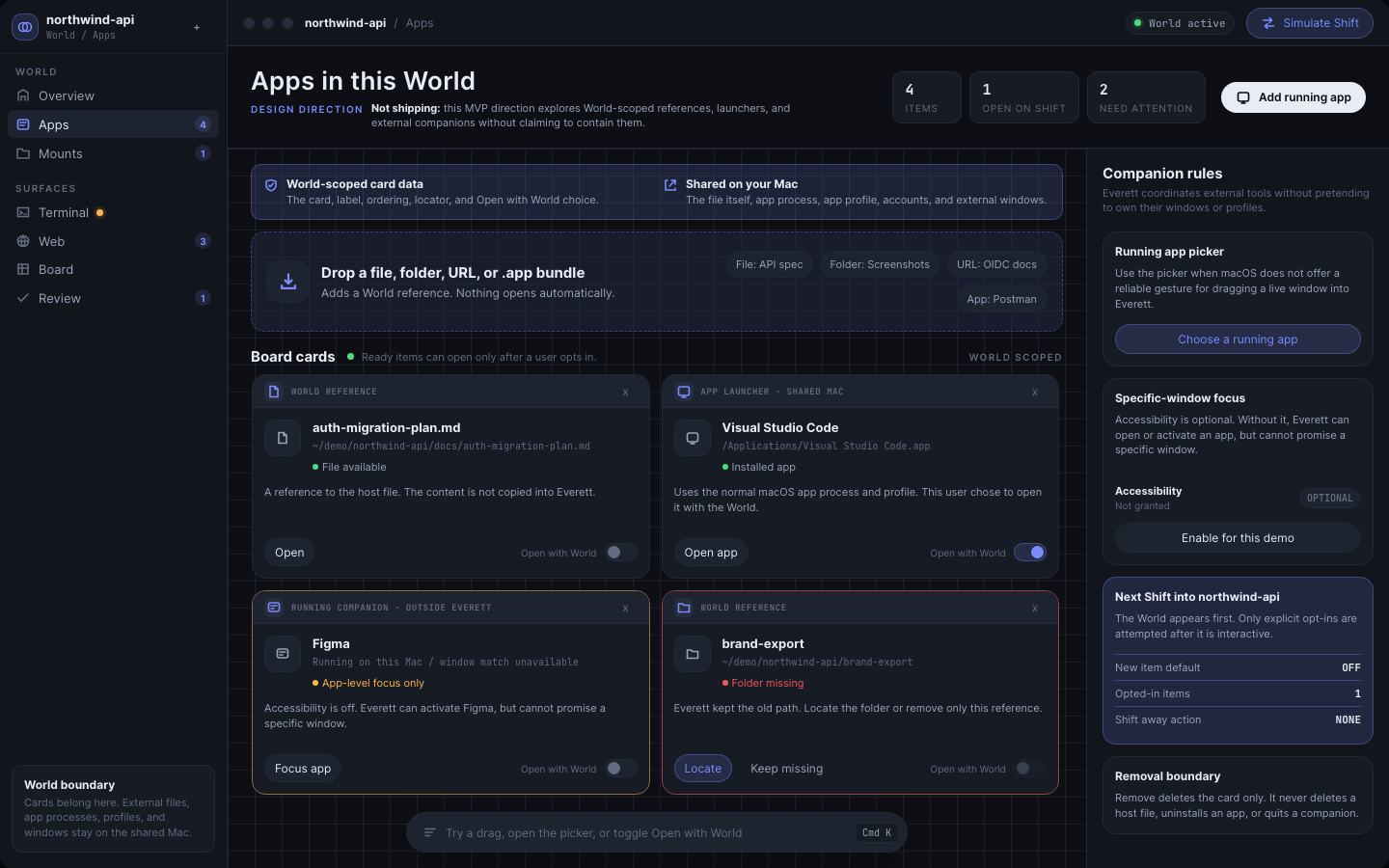
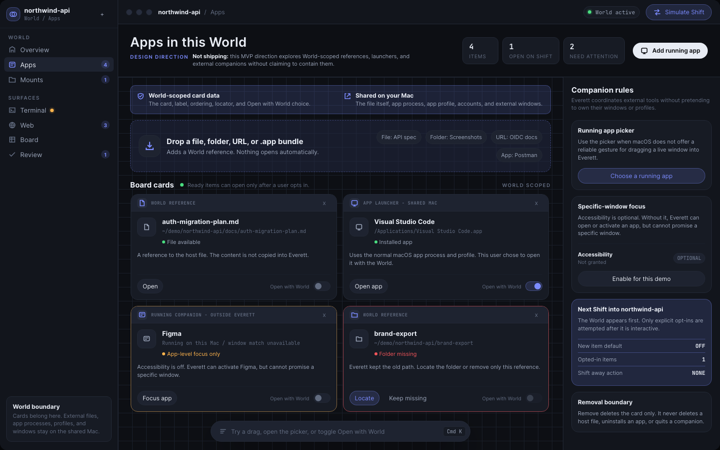
World Apps design direction showing references, app launchers, and external running companions.
Design direction: World Apps is design and MVP direction, not shipping behavior.

Development journal

Latest updates

All updates
Everett Worlds overview showing separate project Worlds and their activity.
Historical design mockup: Separate Worlds keep unrelated project realities legible while they continue running.

Product model: one World workspace per project

Everett starts with a World workspace

A World is the persistent workspace that keeps one software project's folders, terminals, agents, Web context, Board, and local state together.
worlds, workspace
Everett Web model comparing a World-local collection with four browser targets.
Historical design mockup: The World owns the saved Web collection; the chosen target determines whether browsing state is shared or partitioned.

Current product model

Web is a World-scoped workspace, not a new browser

Everett keeps Web links and preferences with the World while staying explicit about which browser target shares or partitions state.
web, worlds